Tuesday, March 18, 2014

A Sitecore 7.2 feature worth the wait: Search-driven controls

As always, I want to provide both the technical and business benefits to a discussion topic.  I've written about this use case in the past, but with Sitecore 7.2 there is now an out-of-the-box feature that it makes the solution to it very straightforward and available to both the business and technical sides of the house.

Basically, since Sitecore controls are so flexible and can bind to a "datasource" based on any number of conditions, the ability to use search interfaces and results to drive this datasource is a natural improvement to the platform.

So take for example the controls on the right hand side of this page:

A Launch Sitecore "Contributor" page with added controls in the right column

The Articles control at the top is set up to look at a specific field of this "contributor" content type / data template.  All Articles have a checklist field so that we can appropriately credit our contributors with their article contribution.  In this way, the control is going to always show a full list of my articles without my having to go back to our development team and rework the control every time I write a new one (which, at any rate, is not all that often).

Similarly, the control below the articles control shows another list.  This list can be driven by a pre-built query against the entire content tree.  I've always been a fan of this technique, as we can create a nice bridge between our development team and our business team.  The business folks could describe in words what they want:

"I need a list of a all articles that have been tagged for Marketers".

Developers (or really anyone that has become familiar with Sitecore queries could come up with something like this item:
A pre-built search query item


In reality it isn't even necessary to be familiar with this search syntax since the "Build Query" feature within this Content Editor view would allow you to use the search interface within Sitecore to prepare the pre-built query item.  Once the item was built, now the business folks could use this item as a datasource for the control and our use case solution for an ongoing dynamic query control would once again be complete.

(In older solutions to this use case, we used the same technique as above, but used Sitecore Query notation).

Now, in 7.2, using these search queries as control datasources is even more cool and direct.  Let's rework the control on our page.  The good thing is, Chris Castle's Launch Sitecore control is already written so well that it doesn't need changing:

Selecting the LS Queried List control for our page

As the dialog appears to select an associated datasource for the control, we can see that we now get the ability to Search for Content on the left (previously we would have chosen a specific content item):

Searching for associated content

There are two areas we could use here to come up with our result set.  The right hand side of the screen will show us the available facets (template, date range, author, etc.).  These facets are impressive by default and fully extensible to enable the inclusion of specific attributes important to your business.  In addition, the drop arrow on the left of the search box provides a choice to use pre-built search filters.  For the example below, I'll use this technique to choose:
  • Items that match the Article Data Template (they have to be Launch Sitecore articles)
  • Items that were initially created by Mike Casey
Both Template and Article are pre-built search filters, so I can easily choose them from the list.  There's also a nice "intellisense"-like feature that allows me to start typing and see available options based on my keystrokes.

Setting up the search query with pre-built search filters
If I click on the magnifying glass to run the query so far, I notice I have 65 results:

Initial search results for Mike Casey as author, Article as Data Template

My team will tell you that I haven't contributed nearly that many articles.  In fact, in the Template facet on the right, we see that of the 65 items returned, 22 were articles, 9 were images, and so on.  By default this is a logical "or" query, so we're getting too many results for our list's purpose.

By clicking to the left of each chosen search filter, we can toggle through a "must have", "must not have" "can have" logical operator set.  For our list, we want to ensure that both filter criteria are true:

Tweaking the query with logical operators
With the "Must Have" criteria in place and by clicking the magnifying glass again, we get the expected four article result, and we are satisfied with our search query:
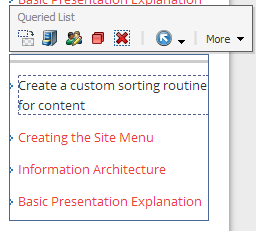
Finished product

Now think about the fact that you can set up personalization or multvariate tests on this control using different search criteria.  The search criteria can be coupled with any other conditions Sitecore has access to (GeoIP, campaign, etc.).  You're off an running with a truly dynamic experience for your visitor.
 

Snippet for the Developers:

For the developers, the reason that this already works in your current Launch Sitecore package is that Chris Castle thought through the various datasource items that might be passed.  Here is a little snippet of the resulting logic if the datasource is deemed to be a query string (rather than a specific item GUID).  This full code is available via the DataSourceList.ascx control in the project:
 
        // if the datasource was not a query item try to process the datasource as a query
try
{
//Open search context based off the current item
using (IProviderSearchContext context = ContentSearchManager.CreateSearchContext((SitecoreIndexableItem)(Sitecore.Context.Item)))
{
string languageCode = Sitecore.Context.Language.CultureInfo.TwoLetterISOLanguageName.ToString();
IQueryable<Item> queryable = (from toItem in LinqHelper.CreateQuery(context, UIFilterHelpers.ParseDatasourceString(Attributes["sc_datasource"]))
where toItem.Language == languageCode
select toItem.GetItem());

// the master index will have each version so we need to remove the duplicates.
if (Sitecore.Context.Item.Database.Name.ToLower() == "master")
return queryable.ToList<Item>().Distinct(new ItemIDComparer()).ToList<Item>();
else
return
queryable.ToList<Item>();
}
}

Sunday, March 16, 2014

Checking with your own data to drive a Sitecore personalization condition

Why should I care about this?

Sitecore comes with an impressive list of prebuilt conditions to drive personalization--from referring URLs to the fact that a visitor comes to the site as a campaign respondent to GeoIP attributes of country, zip code and more.  In many discussions I have on the topic of personalization, the conversation inevitably leads to "yeah, but I want to use THIS thing."

To generalize, the THIS thing is some existing system or service, external to Sitecore, which holds a key piece of information.  Since this external system should remain the system of record for that piece of information, it makes sense for Sitecore to simply leverage the data where it sits, rather than enforcing that it move directly into the Sitecore content tree.  For those of you that have worked with Sitecore, you know it’s built for this.  Rather than enforce a migration of data to the content repository, a well developed Sitecore strategy continues to take advantage of data and application functionality wherever it is best served from.  Personalization conditions are no different.

Below I will work through a common scenario.  We want to develop a condition that queries an external database and determines whether a product is available before showing the promotion our marketing team has created for it.  With the condition in place, it will be easy for us to build a rule that does something when the condition is true.  This is a classic “When” condition, and we can think of all kinds of rules that might be appropriate based on the true / false value returned.

Who in my organization creates these conditions?

As an aside, many of my conversations lately have involved questions like "who sets up personalization in Sitecore?”.  A very fair question.  I enjoy the discussion because it really highlights that there is a transition going on here.  Sure, every piece of conditional logic could be developed separately (it is software, and everything is possible), but the question is sparked because this capability is now in the hands of many more people in the organization.  It’s not JUST for developers anymore.  While developers are certainly creating the great methods that evaluate conditions and implement rule-driven functionality, others in the organization (you get to decide who) are mapping the business processes and visualizing the results.  These two sides are equally important, and those organizations who find the people with the right combination of skills will certainly benefit.

Creating the custom condition

Back to it.  1st step is to create an item to define the condition.  Who does this?  Well, in most cases this one’s for the developer.  The reason is that we’re coding brand new logic here.  If you’re talking about the rich set of standard Sitecore personalization conditions (Geolocation info, DNS info, authenticated user profile attributes, etc), then there’s no work to do here.  These Conditions are already defined and available to you as you build a rule to evaluate that particular Condition.  More on that later.  The screenshot below shows the beginning of the scrollable list of prebuilt Conditions:


In standard Sitecore fashion, all prebuilt Sitecore functionality is built and referenced in the same way you’ll build your specialized or customized functionality.  If you look in the Content Editor at:

/sitecore/system/Settings/Rules/Definitions/Elements/GeoIP/Area Code

you’ll see the definition (the Item in the tree) that represents the condition.  Even though this is a standard Sitecore Condition, we are still able to see where this code is called from in the core application (in this case, the Sitecore.Analytics assembly contains the code for this condition):

The Default "Area Code" condition in Sitecore


You’ll notice that the AreaCodeCondition class in the Sitecore.Analytics assembly is referenced.  You’ll also see that the Text field allows you to define placeholders where a content author can enter additional parameters to the condition evaluation (this Text appears in the Rules Editor when adjusting the specific condition for a personalization rule).

So for our purposes today, it’s going to be even easier.  Rather that doing a compare of values between Analytics data and content author entered parameters, we’re simply going to check the “trueness” of a condition.  Does the product have any availability?  Based on the result, we can then decide what to do about it.

A strategy for setting up custom conditions and rules

In regards to the question again about "who does what?", this is a typical thought process around setting up these types of conditional rules:
  • A cross-functional team discusses the Conditions that need to be evaluated.  Many will be available in Sitecore already, some will have to do with your business-specific data that Sitecore couldn't possibly know about natively.
  • A cross-functional team discusses the Rules, the things that should HAPPEN when a Condition is evaluated.  Again many will exist in Sitecore already (easily hiding or showing a control, having a control display a different piece of content, moving a control to a different area of the page, initiating a specific Email Campaign, etc.) and some will do fun and exciting things outside of the Sitecore application domain and context.
  • A cross-functional team discusses where and when these rules are appropriate, and which groups should have the ability to adjust the rule set.
  • A cross-functional team ensures that both sides of the brain communicate, and that the development efforts and the business process mapping stay on the same (albeit flexibly winding) trail.  
The point here isn’t that you need a huge cross-functional team.  The point is that if you’re a team of one (or 2, or 10, or 100), you need to think cross-functionally.  Nothing new here.

The three steps to implement the custom condition and rule

OK, so again for this example we simply want to rely on an external system to determine whether a condition exists.  We'll use the freely available AdventureWorks database from Microsoft.  The basic idea will be to:
  1. Add a new condition item to Sitecore (so that someone in our organization can choose the condition as part of their personalization rules for a control).
  2. Write a custom condition that looks to AdventureWorks to find out if there is product inventory for a certain product.
  3. Add our new condition to control on the Launch Sitecore home page so we show a different spot if the product is available.

Step #1

We need to add the new item to the content tree to reference our custom condition.  I put the item at

/sitecore/system/Settings/Rules/Definitions/Elements/Fields/

...so it would show up near the top of our list when we apply it to a control.

Our new custom condition

Since we're making the condition check very simple (we're going to always look for product availability for a product with an ID of 1), we don't need to set up the Text field with any macro replacement possibilities.  In the real world, we'd want to either allow an author to choose a specific product using this technique, or we could think about making that decision based on which page the control is on (i.e., a product page dedicated to a particular product could also pass that product ID directly to our inventory check routine).

Step #2

Now we need to write some code for the actual condition check.  The main Execute method is shown below.  Note that I used the freely available Entity Data Model Wizard within Visual Studio to set up an easy LINQ query to the AdventureWorks database.

        protected bool Execute(T ruleContext)
        {
            var numUnits = 0;
            try
            {
              using (AdventureWorks2012Entities context = new AdventureWorks2012Entities())

                numUnits = (from m in context.ProductInventories
                                where m.ProductID == 1
                                select m.Quantity).FirstOrDefault();

                return numUnits > 0;
            }
            Catch

            { return false; }


        }


Now, when a personalization rule includes this condition check, we'll simply go to the AdventureWorks database and check for availability of ProductID 1.  Since the conditional check is basically a true/false result, we'll return whether or not the product availability for that product is greater than 1.  With my new condition added to the content tree (described above), this is where we can see it (in the Fields section).  You can organize your custom conditions anywhere that makes sense.

Our new condition shows up in the list for a business user to choose


Step #3

Now we can add this to the simple spot controls on the Launch Sitecore home page, showing the Einstein spot if this condition is true.  Below shows the Page Editor view where I can add a New Condition to my control, calling out my check to AdventureWorks, and the "Step 1" content item the control will use as its datasource if my inventory check returns True:

Our new condition is now part of the Rule Set for our Home Page control

Hopefully this sheds some light on how achievable it is to consider external data personalization sources in Sitecore.  Taking the next steps and creating bridges to product catalogs, existing systems of record and web services can really open up your personalization options without changing repositories and services that already do their jobs incredibly well.

"I want my Sitecore Analytics data in Excel"

Why should I care about Sitecore in Excel?

No matter what you've spent on reporting systems (and business analysts to run those reporting systems), inevitably there are still spreadsheets all over your organization.  I can't think of a company I've been at or worked with that doesn't have at least one Excel Workbook that is the voice of truth.  The person that owns it has confidence in it--the data has overcome the skeptics, and the Excel interface is common to all and within everyone's grasp.

Sitecore data can now join in.  Let's forget about the "but I should have dashboards that tell me what to look at" crowd.  You know that if you get all this great data in Excel, you'll be in control and will start to highlight the insights and outcomes that is important to your business and your business only.  You'll pivot, shoot...score.

Familiar Pivot Tables and Charts

With Sitecore data in our OLAP cube format (more below), within about 15 minutes I created the Pivot table and chart below.  Our Sales Engineering group will certainly be looking at more insightful dashboards as we go, but these simple views can get us to the next stage of our discussion:  "How can we put together a customer journey that will promote the best possible software evaluation experience, leading to Sitecore being selected as the best choice in digital platforms?".

Sitecore Data in MS Excel Pivot Tables and Charts

Sitecore's Engagement Intelligence Datamart 

To get to this, we are using Sitcore's Engagement Intelligence Datamart.  This product provides the tools necessary to create a standardized OLAP cube from the Sitecore Analytics database.  Once in an OLAP format, virtually any reporting environment will "understand" what the data is all about.  OLAP will define Dimensions (the facets, categories, rows, columns) and Measures (the values, numbers, calculations) that the data is now available in, and we can immediately use the standard interfaces of Tableau, MS Excel, SQL Reporting Services, Sitecore's implementation of the Targit BI Suite or any business intelligence strategy you currently have in place.  We can start thinking about easily tying to other data sources, tying authenticated users to CRM records....sky's the limit here.

So, after following the Engagement Intelligence Datamart documentation, we have the OLAP cube in our SQL Server instance:
The Sitecore OLAP Cube Database in SQL Analysis Services

Right clicking on Cubes/Analytics node gives us the option to "Browse" the Cube.  This provides a design interface very similar to MS Excel, where we can drag the Dimensions and Measures from the Cube to a canvas where we can analyze all the prebuilt calculation goodness.  Below I simply added our Pattern concept in Sitecore and used the single measure of Page Views:


Exporting to Excel

From here, there's a nice little export feature to Excel at the top of the window:


You can also start in Excel and use the Data menu to create the connection string to your OLAP cube database on SQL Server.  The above export feature will create the connection for you automatically.

Now in Excel, we can take advantage of our familiarity with this application--Pivot Tables and Charts, Slicers and all of the easy-to-use data analysis tools that Microsoft has provided.  Below is the Pivot Table fields that will be immediately available to you.  Within the list, you'll be able to find common web analytics elements such as:
  • Page Views
  • Unique Visitors
  • Time Spent on Page
  • Engagement Value (unique to Sitecore)
...and much more.  Happy Pivoting.

Pivot Table fields available from Sitecore's DataMart / OLAP Cube


Wednesday, March 12, 2014

Preparing for your next great Sitecore Engagement Plan

In every partner and client session I facilitate, we inevitably spend a lot of time talking about Sitecore Engagement Plans.  It's a fantastic platform feature that ties all the pieces of a Sitecore digital marketing discussion together--from considering why a site exists in the first place to laying out the goals we want our visitors to achieve to the actions we want to take in the process of creating hugely successful digital campaigns and experiences.

By the time we're talking about Engagement Plans, though, I've realized that we've already covered a ton of information.  Sitecore's feature map is incredibly impressive and always too much to fully consider in one sitting.  When I started facilitating these sessions, I tried to have the group go through the actual mechanics of setting up an Engagement Plan in the system.  While these mechanics are straightforward, I realized over time that the importance of the discussion wasn't about the points and clicks to create the Engagement Plan in Sitecore--it was the about the customer journey we were setting out to model.

So, a very simple thing hit me over the head--start with a Visio template to act as the brainstorming tool.  While I still recommend in most cases just diving into Sitecore and creating Engagement Plans directly, I wanted to offer this file in case it helped anyone with their brainstorming sessions along the way.

Download the Visio Template Here.

The Visio diagram is a model of our Launch Sitecore Engagement Plan described here.  With this, you can quickly brainstorm:

  1. States along your Engagement Plan / Customer Journey
  2. Actions to take as a visitor transitions from State to State
  3. Conditional checks to determine whether a visit should move to a new State
  4. Customer experience as it relates to a particular state (personalization rules if a visitor is in that State)
  5. The behavior you are trying to drive, the endgame, the Goals.

Content-As-A-Service and the Sitecore Item Web API

Why you should care about the Item Web API

There are many great articles and videos about using the Sitecore Web API, many of which are much more complete and sophisticated than this post (for particularly impressive skill, see Mike Reynolds's work).  In this post I simply wanted to point out the basics and explain why you might be interested in this Sitecore feature (and, really, why you should be confident in the power of the Sitecore API in general).  So read on as a non-developer.  As a developer, you'll at least get a couple quick lines of code that might save you some time as you dive into things.

The Sitecore Item Web API documentation may be found here.  The latest version is 1.2, and the feature is now part of the core Sitecore install (as of 7.1).  The basic premise of this feature is to expose the Sitecore API to modern, RESTful web service calls, to return JSON responses, and (as is always a core tenet to Sitecore) to provide an extensible basis for modeling virtually any business and technical requirements.

In plainer English, this makes Sitecore-curated content available outside of Sitecore sites.  It allows you to ensure all of your content policies are followed (workflow, validation, security, publishing) before making that content available to additional groups or applications.  Sitecore-Content-As-A-Service.  (Feel free to use SCAAS and sound cool).  By providing a modern RESTful service layer, it makes your developers happy and allows them to use all the productivity tools they are using today.

To consider a very simple use case, I'll use our team's Launch Sitecore project and consider an area of content that I'd like to make available to an external application.  The "Team" section on the site lists all of our N. American Sales Engineers:

Setting up the scenario

Let's say that we're starting a separate project and we want to start by leveraging this list of SE's.  Maybe we consider Launch Sitecore to be the place where we first add new SEs once hired and where we have some additional statistics and information about the SEs (# of articles written, favorite quote, etc.).  By defining Sitecore as the system of record for this content, it frees us from worrying about content governance and consistency.

To keep things really simple, I tried to include as few lines as possible to accomplish this via the Sitecore Item Web API.  First, the final result of the new application page:

A simple list of Sitecore content items (without that pesky styling getting in the way!)

Next, the HTML behind the page


<!doctype html>
<html ng-app>
<head>
    <title>List of Sales Engineers</title>
    <script src="https://ajax.googleapis.com/ajax/libs/angularjs/1.2.14/angular.js"></script>
    <script src="../js/myangular.js"></script>
</head>
<body>
    <div ng-controller="CallWebApi">
        <ul>
            <li ng:repeat="item in data.result.items">{{item.DisplayName}}</li>
        </ul>
     </div>
</body>
</html>


A couple things of note on the above:

  1. I'm using angular.js to allow the javascript library to do all the heavy lifting.  The first script reference is to that library as hosted on Google's CDN.  The second is simply my project's local javacript file that we'll look at.
  2. All of the "ng-" stuff is standard angular.js usage.  The ng-controller will call out to my local javascript method that we'll discuss below.  The ng:repeat will allow me to iterate through all Sitecore items I receive back from my web service call, showing each item's DisplayName field in a bullet list.
  3. Take special note of the "data.result.items" syntax above.  The bulk of time you'll spend (probably with any JSON parsing exercise) is figuring out how to pull out the specific nodes and fields you are interested in.

The javascript to make the call and return the Sitecore items:


function CallWebApi($scope, $http) {
    $http.get('http://mvc71/-/item/v1/?scope=s&query=/sitecore/content/home/team/*').
        success(function (data) {
            $scope.data = data;
            console.log('success ' + data)
        })
        .error(function(data) {
            console.log('failure ' + data)
        });

The document on SDN does a great job explaining the possible operations and queries that you can make with the Item Web API.  For now, consider that you can do things like:

  1. Get Sitecore Items
  2. Create Sitecore Items
  3. Create Media Library Items
  4. Change Items
  5. Get back the HTML output of a rendering
For this scenario, we're simply getting some Sitecore items and using their fields.  The query above makes a request to Sitecore to get back all the items in the "Team" area of our Launch Sitecore content tree.  In my case, that result becomes available to my angular.js within my page to list out DisplayNames for the Sales Engineers.  Below is the structure of the JSON that we receive back from the request:


In Summary

While this is a very modest use case, this really provides the foundation for incredible real-world use cases within your organization.  With Sitecore as the content hub, you are able to ensure your content-as-a-service project is fully governed.  Your mobile apps and sites will benefit from the "create once, use everywhere, maintain once" pattern this promotes.

The Item Web API is fully extensible and built on the same core pipeline architecture that drives everything in Sitecore.  Because of this, additional features and methods are able to be easily added to the standard set, and virtually any external application content need may be serviced by Sitecore.

Friday, January 31, 2014

A New and Improved Engagement Plan for Launch Sitecore

While Chris Castle, Brandon Royal and others were busy getting the new Launch Sitecore site out the door, the N. American Sales Engineering team at Sitecore got together to review our first implementation of the digital marketing features of our site.  Our goals have always been clear with Launch Sitecore--provide the best software evaluation vehicle in the business.  Allow folks to download the full site, support them as they dive into it and get to the next level of understanding and questions.  Provide a clean and simple framework to strategize much more complex real-world situations.

I always feel that the Engagement Plan discussion in Sitecore can become the centerpiece for the larger digital strategy discussions for the platform.  There's something about specifically discussing customer journey paths in the tool that expands ideas while focusing purpose.  Engagement Plans become the hub for modeling visitation flows, for defining integration points and messaging, for clearly identifying compelling personalization possibilities and more.

In our first iteration of our Launch Sitecore Engagement Plan, our flow was ultra-simple.

  1. Entice registration
  2. Convince visitor of the benefits of downloading the Launch Sitecore site package
  3. Provide a feedback loop
As a summary, "create incredibly valuable evaluation experiences for our prospects".  We had other side goals, but in essence our site existed to provide access to this great evaluation package, and everything we focused on was a funnel around that endpoint.

For this release, our goals are significantly loftier.  We started discussing our Sales Engineering Team goals in a broader context, at the company level.  Our team is here to ensure that our prospects have the very best evaluation experience in the industry, that they make the most efficient use of the incredibly small window of time generally dedicated to evaluating a software purchase.  In this window it is our job to show people why we are so proud to represent this platform, showing the balance of the ease-of-use and simplicity of entry points while starting to highlight the incredible platform power that lies deeper in the application.

Our main goal of making our Launch Sitecore download available hasn't changed.  With this release, however, we are setting the stage for the download journey to be the beginning of the path towards our loftier goals.  In essence, we are starting to analyze not only the flow our visitors follow as they navigate the Launch Sitecore content and download the package, but we are looking forward to the incredible insight this will lead to as we evaluate the place Launch Sitecore has in an overall Sitecore selection process.

I'll discuss the new plan in its two major sections.  The first section below is similar to our entire flow in our first version, where everything led to a download of the Launch Sitecore package:

The first "stage" of the new Launch Sitecore Engagement Plan

As you'll note, we don't evaluate every visitor to Launch Sitecore for this plan.  Our first goal, and the event that actually enters a visitor into this plan, is the fact that the visitor registered with our site.  While certain plans lend themselves to create flows for authenticated and anonymous users, our making the download of Launch Sitecore available requires that our visitors provide registration information.

Once again, our main decision point is whether or not our registrant has downloaded the Launch Sitecore package.  This is very easy to evaluate--we keep these downloads available in our Sitecore Media Library, and a request to this item in the Media Library will inform the Engagement Plan that "Yes" path should be followed for the "Downloaded?" question.

Instead of just sitting on the yes/no question about whether our visitor has downloaded, we take the opportunity to further assess his/her level of engagement with the content available in the site.  You'll see terms like "Qualified" and "Engaged" which simply represent our own checkpoints about whether our content is providing valuable results.  For instance, the "Qualified" check represents an overall Engagement Value Points check.  (Has this visitor spent some time, read a bit about our Sales Engineering Team, etc.?).
The Rules Engine Check for a threshold of Engagement Value points

Engagement Value Points may be achieved as our visitors are finding value within the site.  While the value of 7 is our own arbitrary threshold, we decided that it represented a reasonable blend of potential goals and activities our visitor would experience for our definition of "Qualification" or "Engaged".  The nice thing here is that we can use these state transitions as personalization triggers.  A "Qualified" visitor, for instance, will simply get some slightly catered messaging on the bottom of the home page, appreciating the fact that they've spent some time with us and encouraging them to do more.
Personalized messaging on the home page based on Engagement Plan State

So far, so good.  We are now able to consider messaging that will gently nudge our visitor towards the goal of downloading Launch Sitecore.  On to stage 2, where this year we will be striving for much more significant insights around how our evaluation teams decide to select the Sitecore platform.

The future stage of our Engagement Plan represents some great opportunities for this insight.  We know that the success of this part of the Engagement Plan is going to be our connection to our own CRM data (Dynamics).  Take a look at the stages our visitors will transition to, and then I'll discuss the ideas around that very important integration point.
The post-download phase of the Engagement Plan


This set of States represents the success (or failure) of the overall Sitecore evaluation experience.  Sitecore is, and has always been, a fantastic data integration platform.  In contrast to many systems out there, Sitecore never enforces that data be native to Sitecore in order to fully leverage in Sitecore-initiated decision point events.  This Engagement Plan is a perfect example of that.  Sitecore provides an incredible basis for this integration with Dynamics, where contacts that are managed and native to Dynamics become seamlessly integrated with this process modeled in Sitecore.

Since there is so much rich data in our Dynamics environment (opportunities that become prospects, partners, etc.), these contacts should always represent the system of record for these individuals and companies.  Our Engagement Plan will be able to leverage this information to assess State transitions--as our Launch Sitecore evaluators become customers of Sitecore, they will transition based on updates to CRM records and land in the appropriate Engagement Plan state.  We'll get insightful analytics around how our downloads could lead to purchases or how our evaluation flow should improve.

Beyond the incredibly rich Analytics that we'll get in Engagement Intelligence reports, our Engagement Plan itself will highlight these State transitions:
Engagement Plan Monitor Mode for State transitions

Along the way, we can use this Engagement Plan to discuss micro-segmenting opportunities.  A small example below (we don't have a ton of visitors yet) is an example of how I could create a list of all registered visitors who have downloaded Launch Sitecore and live in New Hampshire (note that I found 3 that fit those criteria):

Micro-segmenting with the Dynamic Segment Builder


Much more to come in future posts around this Dynamics integration and the insight we drive from this Engagement Plan analysis.

Thursday, January 30, 2014

The Sitecore Fitbit Project

On the second floor of the beautifully renovated mill buildings in downtown Newmarket, NH, a secret project has just concluded with the promise to change the world of digital marketing forever.  A small but growing software company set up shop just near Popper's Restaurant and just above Bloom'n Cow Ice Cream (meaning that many a brainstorming session was accompanied by beer, appetizers and gelato, depending on the time of day).  The four founding members of this startup decided that they were destined to rid the world of analytics confusion forever.

Over an amazing set of Oreo Coffee 3-scoop cones, the group tossed around the terms and concepts that had caused such inaction at the companies they left to launch this thing.  Big Data be damned. CLOUDy digital marketing strategies.  Consultant scare tactics.  Not at this new place.  There was going to be agreement--now--about the key metrics that would define success.  After all, there were only four of them.  How hard could it be for them to come to agreement about what success would look like for their company's built-from-the-ground-up marketing strategies?

Page Views, Time Spent on Page, Conversions, Bounce Rate, Average Visit Duration, Loyalty, Page Depth.  Already frustrated, the team decided to grab another beer and start again.  None of this felt right.  All these metrics represented a confusing mixture of commonly accepted values and certainly could provide great insight into their digital strategy.  But it felt dated too, very Web Page-centric.  After all, this company was launching their site, but they were talking much more about consistency of message, broadcasting messages through channels, speaking to their customers in short insightful sentences exactly when they were listening instead of dropping their book in Times Square and hoping the guy that tripped over it decides it's worth reading.

One of the founders slammed down his mug.  Looking at his wrist, he smiled and told the group confidently that he had it.  His Fitbit had just buzzed (an unfortunate miscalculation convinced his Fitbit that swinging a beer mug was good for his health).  He mumbled something about a single view of the truth, paid the check and told the team they had some work to do back at the office.

And so the Sitecore Fitbit project started.  The team had already decided that the Sitecore experience platform was what was needed at the core of their entire content and digital marketing strategy.  This team did their homework.  While the analyst reports initially led them to Sitecore, they put the company and the product to the test before this software purchase, and they hit it from the various angles these four professionals represented.  From their most technical, data-integration requirements to the ability to model their digital marketing dreams, Sitecore, in their opinion, had it all.

 (As a shameless plug to the N. American Sales Engineering team, they noted the use of Launch Sitecore as key to their evaluation).

The Fitbit idea added some fun to this.  Now, once the team decided on the key metrics defining success, they could allow Fitbit to be the ultra-simple feedback mechanism, the Pavlovian nudge to keep them on track towards their goals.  Gentle hourly pulses as things were moving along smoothly.  Fast shakes when things needed attention (either for crazy success or troubling dips).  Literally the heartbeat of the business on the four founders' wrists.  (Todo: have to find away to reduce the analytics noise from the hoisting of beer mugs).

The founder that had the AHA! moment opened the Fitbit API site on his laptop and projected to the group.  He started expounding on his single view of the truth statement, gathering agreement in the room that one of the main problems they'd all seen in the past was that, as a company grows, the charts and tables and numbers and metrics grow exponentially as well.  Wouldn't it be great if the feedback mechanism were much more simple, and the thresholds were defined so everyone agreed about the boundaries on both sides of the graph that would drive the right cadence of attention, discussion, strategy review, planning.

With the Fitbit app registered, now it was time to leverage Sitecore's analytics, publishing, reporting and data integration capabilities.  One of the great things that a team member remembered from their evaluation was that Sitecore already appreciated this concept of Value.  An Engagement Value scoring concept already exists in Sitecore.  This is the perfect abstraction that the group was looking for, and now it was time to specifically map their digital marketing goals to this concept.  While a single scoring mechanism like an Engagement Value could become the interface to Fitbit, it only needed to abstract--not to ignore or make irrelevant--the significant data points that lead to it.

The only real mantra for this company was an absolute, unrelenting commitment to their customer.  They commonly corrected each other whenever their conversations slipped to their own hopes and dreams.  Instead, the conversation was always (awkwardly sometimes) required to be spoken in the voice of their customer.  While the exercise sometimes became frustrating, the team knew that speaking in this customer voice would always lead them to ensure that it was the customer finding value from the company, and not the other way around.

So now it became a quest to define the thresholds, events and actions that would identify when their customers received value from the company.  The team had seen the capability they will have from Sitecore's analytics engine to gather scores of discreet metrics, dimensions, measures.  Now they saw that they they could abstract those discreet metrics into higher level categories that everyone could understand and communicate.  They could meet regularly and discuss the averages in these categories that for them would define ongoing success.  And their Fitbit on their wrist would congratulate them or warn them when things were happening on either side of these bounds.

An initial look back at the Sitecore Analytics offerings provided the group with the confidence that they really had everything they need.  A quick look at the Measures available in the Enagement Intelligence Analytics OLAP cube showed them all the usual suspects:
View of Measures within Sitecore's DataMart

Looking into the dimensions that could drive these calculations was even more telling--they would be able to look at these statistics for particular campaigns, for particular devices, for specific business accessing their content, in specific regions of the world and the country.  The DataMart was in a standard format, so they immediately started playing with the the MS Excel Pivot tables that would drive the deep analysis of the digital business.

But for now, it was back to the Fitbit app.  All of this great data needed to role up to events that would buzz wrists and lead to congratulatory beer raises or late night strategy tweaking sessions.  As the team started diving deeper, they realized that Sitecore had the key ingredients here as well.  Patterns would allow them to clearly define an audience segment they could cater to specifically.  Goals would allow them to define discreet events when their audience was gaining value within their digital campaigns.  Engagement Plans would allow the company to map the paths, and treat their customers to one-on-one digital experiences depending on the direction they took through that map.

With ideas a buzzin' (but wrists as of yet not), the team settled in on their first metric for Fitbit.  Average Engagement Value Per Day.  Simple.  But really powerful underneath.  Lots of work still to do to create an environment and a modeling of discreet Goals, audience Patterns and Engagement Plans that will drive this key metric for the business and gain consensus between the four founders that the digital strategy is on the right path.  Are customers finding information in the right place at the right time?  Are they talking about the company in a positive way on social channels?  Are they taking advantage of promotions and bringing their friends into the community?  Are they responding to mobile and email campaigns?

When customers are finding the value from the company's digital offering, a simple pulse hourly on the Fitbit will tell them they're on track.  And when that thing nearly shakes off the wrist, time to celebrate!

(So my startup software company is fake.  Yours, however is not ;)